 iScan Photo
Find every photo of everyone you love.
iScanPhotoApp gathers your family’s photos, from your computer, your phone and the shoebox in the closet. It recognizes the faces, asks who they are, and then finds anyone in seconds. All on your own PC.
- No account
- No credit card
- Works offline



Type what you remember. There it is.
One search box for everything. Mix and match as you like, and the answer comes back in moments, even with 50,000 photos.
- Emma’s birthday 2012
- Mom and Dad’s wedding
- dog in the snow
- Christmas at Grandma’s
- letter from Dad
- Louisville 1985
Who’s in it
One person, or several together: “Grandma with her grandchildren”. Leave someone out, or find photos with nobody else in them.
When it was
A year, a decade, a season or a holiday: “Christmas 1985”, “the 70s”. Old scans with only a rough date are found too, and “On this day” brings back the same date in earlier years.
Where it was
A town, a state or a country, or browse them all on a map. Set the place for old prints once and they’re found with the rest.
What’s in the picture
Describe it: “birthday cake”, “dog in the snow”, “wedding”. It looks at the photos themselves, no tagging needed.
Words on the page
The writing on scanned letters and documents, notes on the backs of prints, and your own captions and stories: “letter from Dad”, “Aunt Rose’s recipe”.
Albums, folders and favorites
Your albums and boxes, the folders on your PC, keywords, stars and favorites. Save any search and it keeps itself up to date.
Then enjoy them, and share them
- Look closer: zoom right into a face or a handwritten note, full screen.
- Browse your way: by month or year, on a timeline or a map, big pictures or small.
- Slideshows: any search, album or person, with a gentle fade and your own music.
- Copies that remember: names, dates and captions travel inside the copies, sorted into folders by year, person or album, or zipped to email.
- Print: 4×6 and 5×7 prints, full pages, or a contact sheet to ask relatives “who’s this?”.
- A keepsake for the family: any photos, on a USB stick that opens in any web browser.
- Family far away: names, dates and albums keep each other up to date through a folder you already share in OneDrive, Dropbox or Google Drive, locked with your family code.
- Stays on your computer Works offline. Your photos, names and faces stay on your PC and are never sent to us. Sharing with family happens only if you turn it on.
- Originals never changed It never edits, moves or deletes your photos. Fixes and restorations are saved as new copies.
- No account, no subscription Nothing to sign up for. Buy it once, from $79, and keep it.
Three steps from shoebox to “there’s Grandma”
-
1
Bring your photos in
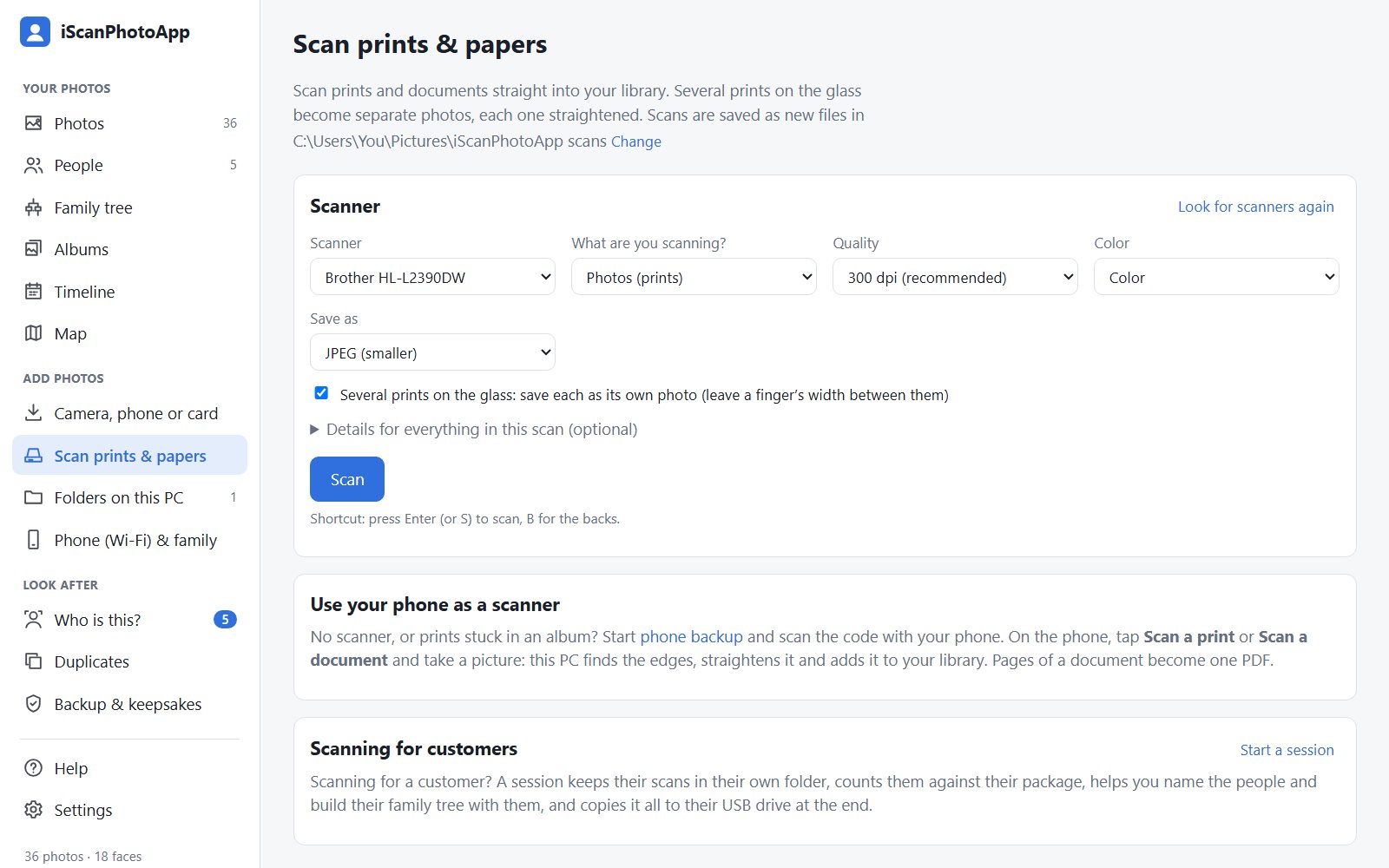
Point it at the folders you already have, plug in your phone, or scan old prints with your scanner. Several prints on the glass become separate, straightened photos. Google Photos downloads and iPhone Live Photos come in with their dates.
-
2
Tell it who’s who
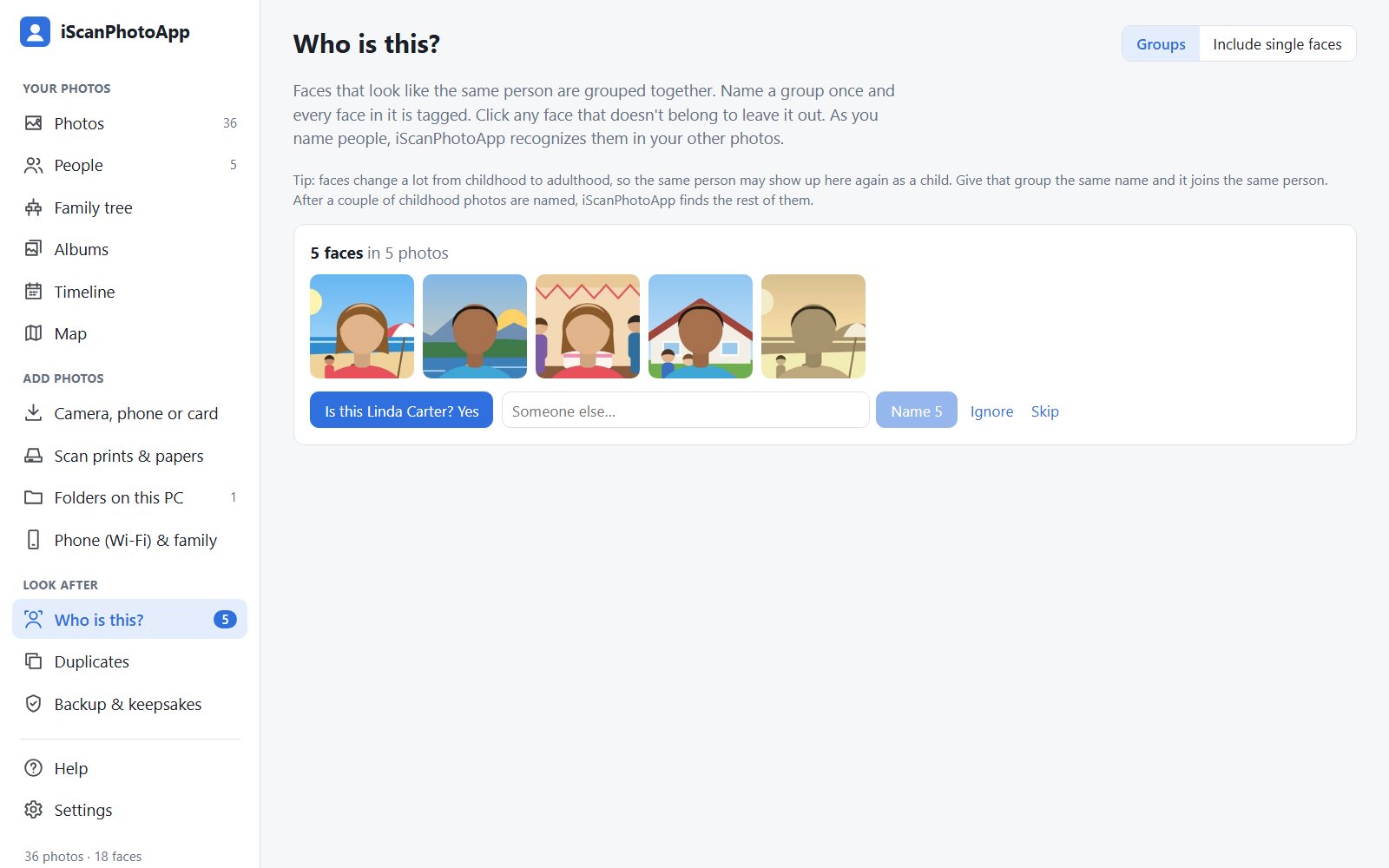
It groups faces that look alike and asks, “Who is this?” Name someone once and it finds them across the rest of your photos. You always have the final say.
-
3
Find, fix and share
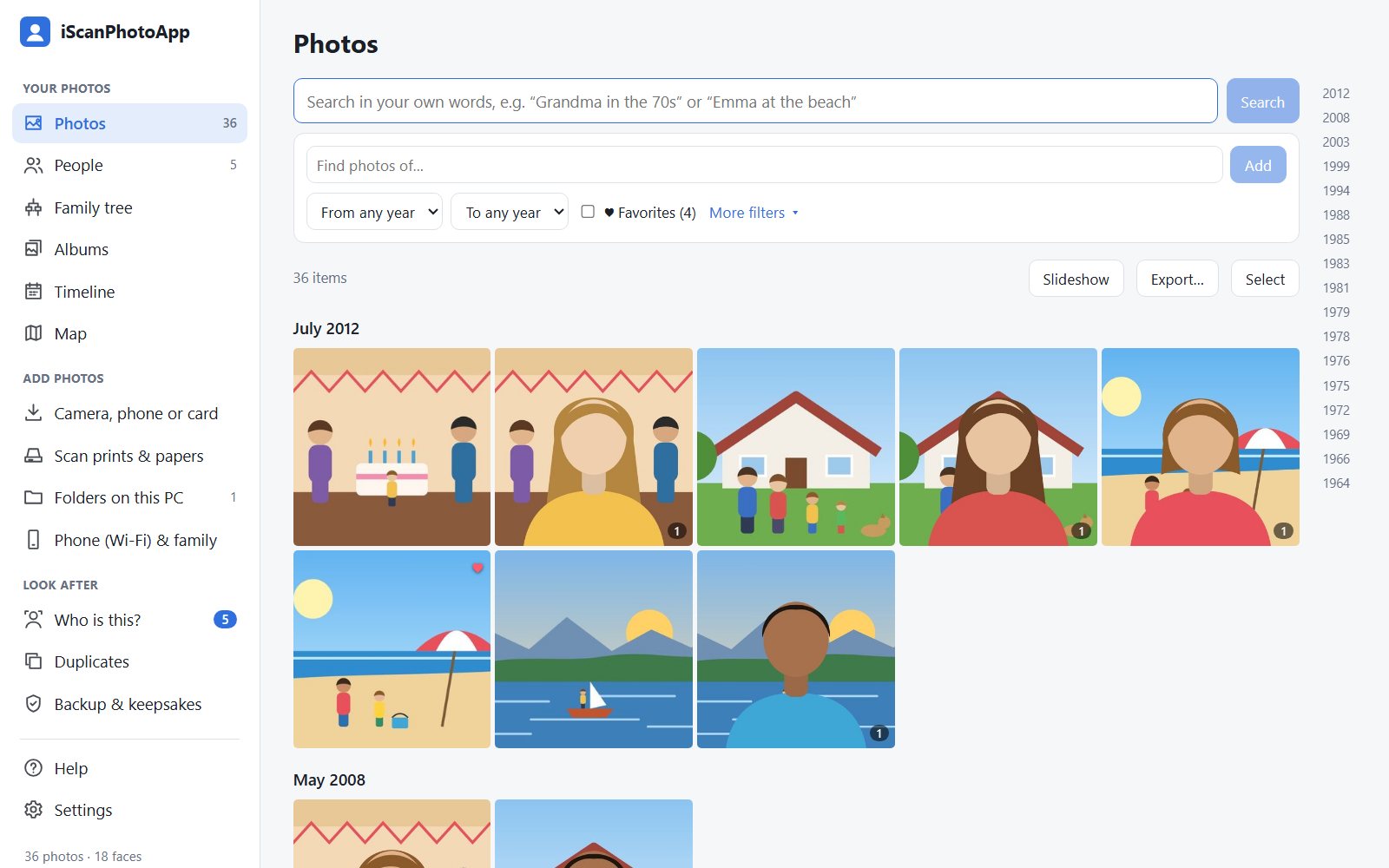
Search in your own words, like “Mom at the lake in the 70s”. Make albums, restore faded prints, and give the family a copy they can open anywhere.


Bring faded photos back
Remove dust and scratches, bring back faded colors, add color to black-and-white, and sharpen small prints. Each fix is saved as a new copy, so the original stays exactly as it was.
More about restoring

A family tree with faces
See everyone with their photo, find pictures of Grandma’s side of the family, and record the story behind a picture in their own voice. Already have a tree from Ancestry or FamilySearch? Bring it in.
More about the family tree
Backups and keepsakes
Back everything up to a USB drive in one click, names and all. Make a keepsake copy the whole family can open in any web browser, no app needed.
More about backups
We scan your photos at your kitchen table
Local in Kentucky and Indiana. A technician brings professional scanners to your home, so your prints never leave your sight. Albums, slides, negatives, documents and video tapes too.
- Home visits from $300 for 2 hours (about 800 photos)
- Everything on a USB drive before we leave
- Faces named with you during the visit
Scanned, organized, and ready to search
Book a home scanning session and get more than a folder of files. Your photos arrive in iScanPhotoApp with your family’s faces already named, together during the visit. Open it that evening and search for anyone.
Try it free for 30 days
Every feature, no account and no credit card. After the trial your library stays yours to look through. A license, $79 for one PC or $129 for three, keeps it growing.